




Rating Breakdown & Score Rationale
Windscribe VPN earns an outstanding 4.2 out of 5.0 overall score in our 2026 assessment. Below is the rationale behind each category score, drawn from published audits, provider documentation, and independent testing:
- Privacy & Legal Jurisdiction (4.55 / 5.0): Demonstrates radical corporate transparency with a published Ethics Statement, running public Transparency Reports, anonymous signup (no email required), and an independent audit by NCC Group.
- Streaming & Unblocking (4.50 / 5.0): Smart DNS capabilities reliably unblock major regional Netflix libraries (US, UK, Japan, Canada), BBC iPlayer, Disney+, and Amazon Prime Video.
- Torrenting & P2P (4.45 / 5.0): P2P file sharing supported across almost all server nodes, backed by an automated firewall (kill switch) and customizable R.O.B.E.R.T. malware filtering.
- Security & Advanced Protection (4.45 / 5.0): AES-256 ciphers, WireGuard, Stealth/WStunnel obfuscation, Double VPN multi-hop, and the server-side R.O.B.E.R.T. DNS filter engine.
- Device Compatibility & Extensions (4.40 / 5.0): Offers unlimited simultaneous device connections and best-in-class browser extensions with time-zone spoofing, GPS overrides, and cookie auto-deletion.
- Speed & Performance (4.30 / 5.0): WireGuard implementation retains an average of 88% download throughput on nearby servers in independent testing, providing stable bandwidth for HD/4K streaming.
- Server Locations & Network (4.25 / 5.0): Operates across 69 countries and 195+ locations worldwide, including static IP and residential IP add-on options.
- User Experience & Apps (4.20 / 5.0): Minimalist desktop and mobile client apps featuring plain-language in-app tooltip explanations for every single setting.
Specifications & Features
Executive Summary: Why Windscribe Stands Out
Windscribe is a Canadian VPN, launched in 2016, that has built its reputation on two things most competitors struggle with: radical transparency and generosity. Where many providers hide behind vague marketing, Windscribe publishes a public ethics statement, a detailed transparency report of every law-enforcement request it receives, and the results of an independent security audit. It is also one of the few premium services with a free plan good enough to use full-time.
That combination makes Windscribe unusually easy to trust. You can create an account without providing an email address, pay with cryptocurrency, and connect an unlimited number of devices on a single subscription. For technically minded users, its browser extensions go far beyond a simple on/off switch, adding privacy tools you won’t find in most desktop apps.
Windscribe also caters to two very different audiences at once. Casual users can grab the free plan, tap one button, and forget about it. Power users, meanwhile, get granular control: custom DNS-level block lists, a configurable firewall (kill switch), multiple protocols including stealth options for restrictive networks, and a “Build-a-Plan” pricing model that lets them assemble a paid subscription from individual server locations.
It isn’t the flashiest or the fastest VPN on the market, and its 7-day refund window is shorter than the 30 days most rivals offer. But for privacy-focused users who value honesty, flexibility, and a strong free tier over raw marketing polish, it is one of the most compelling options available in 2026.
Key Takeaway: Windscribe pairs a generous, genuinely usable free plan with unlimited device connections, anonymous signup, and a pay-only-for-what-you-need “Build-a-Plan” option, making it one of the most flexible and transparent VPNs you can buy.
Who Is Windscribe For?
Windscribe fits a wide range of users, but it’s an especially good match for a few groups:
- Budget and free users: The 10GB monthly free plan (2GB without email) is genuinely usable for light browsing, and the pay-per-location Build-a-Plan option can be cheaper than a full subscription if you only need one or two countries.
- Privacy-first users: Anonymous signup, cryptocurrency payments, a published ethics statement, a transparency report, and an NCC Group audit make Windscribe a natural pick for people who want provable privacy rather than marketing claims.
- Households with many devices: Unlimited simultaneous connections mean a single account can cover every phone, laptop, tablet, and router in a home.
- Browser-centric users: If most of your sensitive activity happens in a browser, Windscribe’s extensions add tools, like time-zone spoofing and cookie auto-deletion, that most rivals reserve for nothing at all.
Who might want to look elsewhere? If you need the absolute fastest speeds, the longest money-back window, or a provider that publishes a precise, audited server count, a rival like Proton VPN or NordVPN may suit you better.
Security & Privacy: Canadian Jurisdiction & Radical Transparency
Windscribe is based in Ontario, Canada, which is a member of the Five Eyes intelligence alliance. That jurisdiction is worth knowing about, but Windscribe’s design deliberately limits what it could ever be compelled to hand over: it keeps no logs that would identify what you do online, and it lets you sign up without an email address, name, or other personal details.
Crucially, Windscribe doesn’t just claim to be private. It publishes a running transparency report of law-enforcement requests, a plain-language ethics statement about how it treats user data, and it has completed an independent security audit by NCC Group, a respected cybersecurity firm. Payment options include cryptocurrency for users who want to keep billing details anonymous.
Windscribe has also been tested by real events. In 2021, authorities seized two of its servers in Ukraine. Windscribe disclosed the incident publicly and used it as a catalyst to harden its infrastructure, moving to fully disk-encrypted servers and short-lived certificates so that a seized machine would yield far less. That willingness to talk openly about a security incident, and to improve because of it, is exactly the kind of transparency that’s rare in this industry.
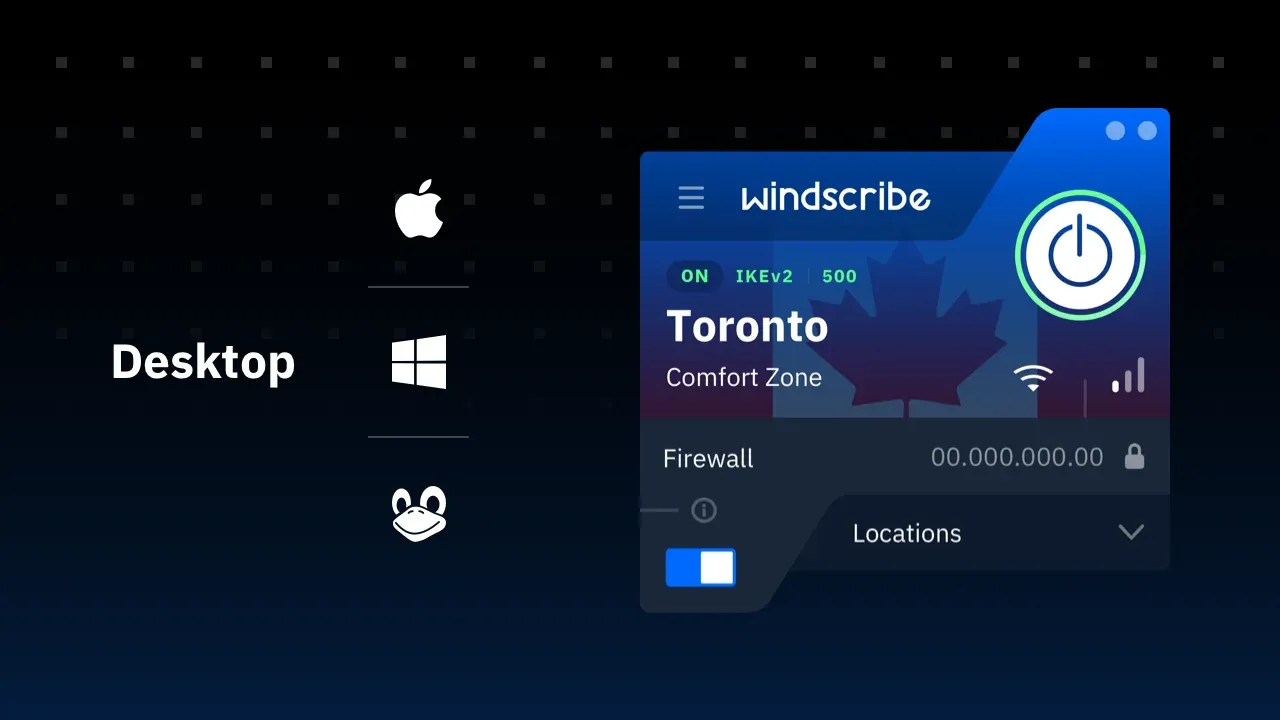
Core Security Features
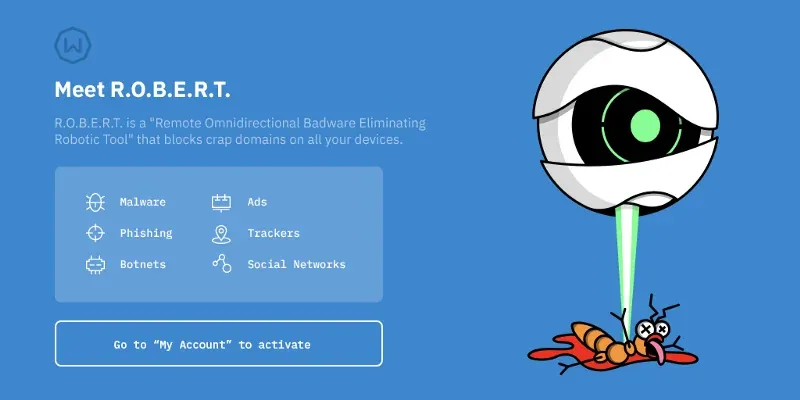
- R.O.B.E.R.T. (DNS Filtering): Windscribe’s server-side blocking tool. Short for Remote Omnidirectional Badware Eliminating Robotic Tool, R.O.B.E.R.T. blocks ads, trackers, malware, and optional categories like gambling, porn, and social media at the DNS level, before they reach your device. You can toggle each block list individually and even add custom rules.
- Firewall (Kill Switch): Windscribe’s always-on firewall cuts your internet connection if the VPN drops, preventing accidental IP or DNS leaks.
- Multi-Hop & Split Tunneling: Route traffic through two servers for extra separation, or send only chosen apps and domains through the tunnel.
- Anonymous Signup & Crypto Payments: Create an account with no email required and pay in ways that leave minimal billing history.
Encryption & Protocols
Windscribe uses strong AES-256 encryption and supports a full range of modern protocols, so you can balance speed against compatibility and stealth:
- WireGuard: The fastest, most modern option, ideal for everyday use.
- IKEv2: A reliable choice that reconnects quickly on mobile.
- OpenVPN (UDP/TCP): Time-tested and highly compatible.
- Stealth & WStunnel: Obfuscation modes that wrap VPN traffic to look like ordinary HTTPS, helping it slip past firewalls that block VPNs, including in heavily censored regions.
Speed & Performance
1. What Independent Testing Shows
Windscribe sits in the upper-middle of the field. Independent benchmarks generally report speed retention around 88% on nearby servers under WireGuard - short of NordVPN and ExpressVPN, and more than sufficient for everything most people do.
Windscribe is unusual in declining to publish a server count, on the stated grounds that the number is trivially inflated and tells buyers nothing useful. It discloses roughly 195 locations across 69 countries instead. That candour is characteristic, but it does mean you cannot compare its raw capacity against rivals - so judge it on location coverage and measured throughput rather than on a headline figure.
Two Windscribe-specific settings affect speed directly:
- R.O.B.E.R.T., the server-side blocker, filters ads, trackers, and malware domains before they ever reach your device. Blocking requests you would otherwise have downloaded often makes page loads feel faster rather than slower.
- Build-a-Plan limits you to the locations you paid for. If you bought three, your nearest available server may not be very near - which affects your speed far more than the protocol does.
For context, 4K Ultra HD needs roughly 15 to 25 Mbps and 1080p around 5, so Windscribe’s overhead is invisible for streaming on a normal broadband line.
2. WireGuard vs. Stealth & WStunnel Protocols
- WireGuard: Recommended for everyday browsing and bandwidth-heavy tasks due to low CPU overhead and fast sub-2-second connection handshakes.
- IKEv2 & OpenVPN: Highly compatible options for mobile devices and legacy operating systems.
- Stealth & WStunnel Obfuscation: Designed specifically for evading Deep Packet Inspection (DPI) firewalls on restrictive networks (e.g., in China or Iran). Because Stealth wraps OpenVPN traffic inside obfuscated TLS websockets, throughput decreases by roughly 25% to 35%, a normal trade-off for censorship resistance.
Global Server Network & Streaming Capabilities
Windscribe doesn’t publish a fixed server count, but it operates across roughly 69 countries and around 195 locations, a spread wide enough to cover most travel and streaming needs. Free users get access to servers in 10 countries, while paid users unlock the full network. Windscribe also offers static IPs and even residential IP options as add-ons, which can help avoid the blocks that shared VPN IPs sometimes trigger.
For streaming, Windscribe is a capable performer. In independent testing it reliably unblocks the major regional Netflix libraries, along with other popular platforms:
- Netflix: Unblocks US, UK, Canadian, Japanese, and Australian libraries in HD.
- BBC iPlayer: Works reliably on UK servers.
- Disney+ & Amazon Prime Video: Accessible via appropriate regional servers.
Streaming access always shifts over time as platforms update their VPN detection, so treat any unblocking result as a current snapshot rather than a permanent guarantee. Windscribe also allows P2P file sharing on most of its servers, making it a reasonable choice for torrenting, and its firewall plus optional port forwarding help keep transfers private.
Getting Started: How to Set Up Windscribe
One of Windscribe’s strengths is how quickly you can be up and running, on the free plan without even providing an email address.
- Create an account. Sign up on the Windscribe website with just a username and password. Confirming an email address is optional, but doing so bumps the free plan from 2GB to 10GB per month.
- Download the app. Grab the app for Windows, macOS, Linux, iOS, or Android, or install the browser extension for Chrome, Firefox, or Edge.
- Log in and connect. Open the app and click the power button to connect to the best available location, or pick a specific city from the list.
- Tune your settings (optional). Enable the firewall (kill switch), turn on R.O.B.E.R.T. block lists, choose a protocol (WireGuard for speed, Stealth for restrictive networks), and set up split tunneling if you want certain apps to bypass the VPN.
- Add the browser extension. For extra tools like time-zone spoofing and cookie deletion, install the Windscribe extension alongside the app.
Windscribe Pricing, Plans & Cost (2026)
Windscribe’s pricing is one of its biggest draws, thanks to a strong free tier and a flexible “Build-a-Plan” option that lets you pay only for the locations you actually use.
The Free Plan
Windscribe’s free plan is one of the best in the business. Confirm your email address and you get 10GB of data per month (2GB without email), access to servers in 10 countries, and the same core security features as paid users, including unlimited simultaneous connections.
Paid Plans & Build-a-Plan
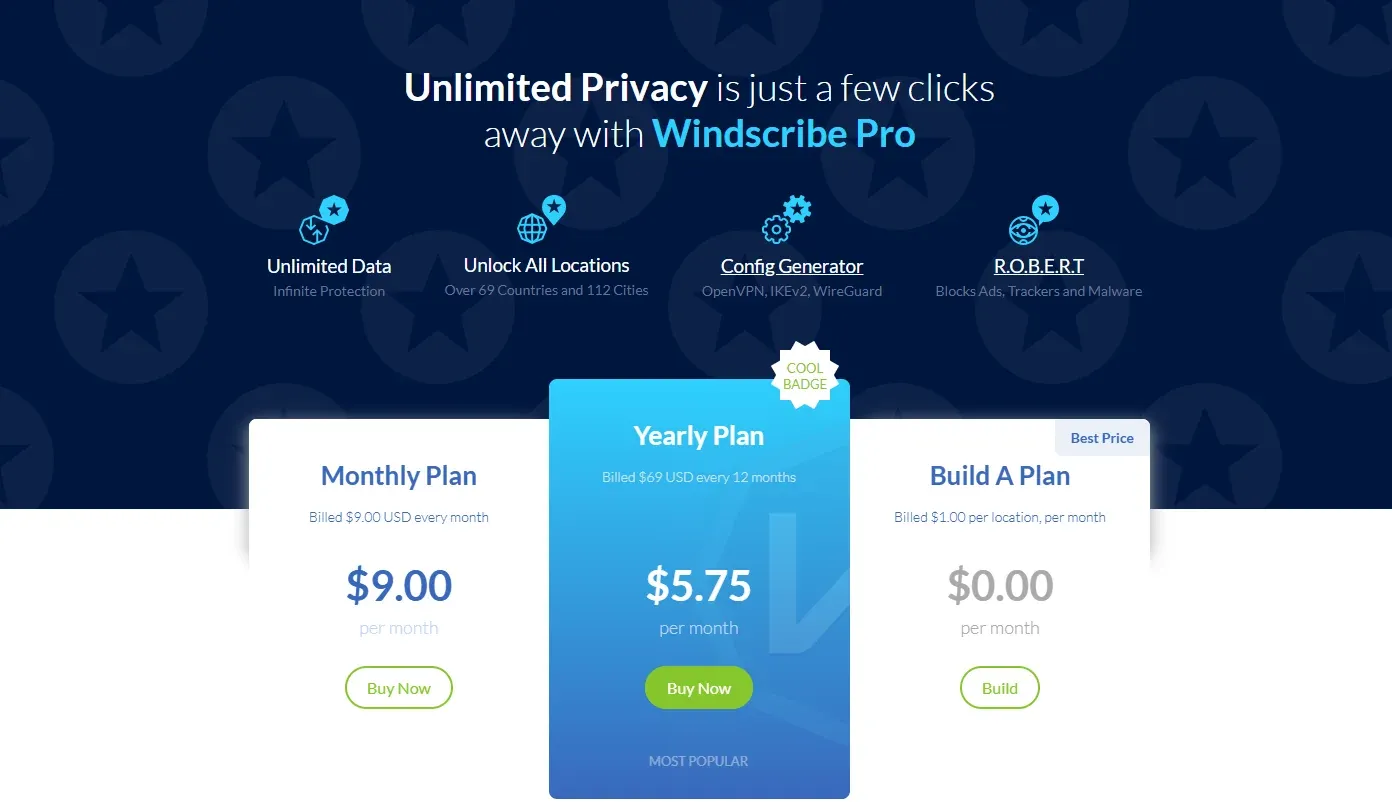
The Pro plan unlocks unlimited data and the full server network. Build-a-Plan is a unique option: pick individual locations for about $1 each per month (with a $3 minimum), and each location adds 10GB of premium data, perfect if you only ever connect to one or two countries.
| Plan | Price | Data | Best For |
|---|---|---|---|
| Free | $0 | 10GB/month (2GB without email) | Trying the service or light everyday use |
| Pro (Monthly) | ~$9 / month | Unlimited | Short-term or flexible use |
| Pro (Annual) | ~$5.75 / month (billed ~$69/year) | Unlimited | Best overall value |
| Build-a-Plan | From $3 / month | Unlimited on chosen locations | Custom, pay-per-location setups |
Windscribe accepts a wide range of payment methods, including major credit cards, PayPal, Paymentwall, and cryptocurrency, so privacy-focused users can keep billing details minimal. Paid plans are backed by a 7-day money-back guarantee (valid if you’ve used under 10GB), which is shorter than the 30-day guarantee many rivals offer, so it’s worth deciding quickly whether the service works for you.
User Experience, Browser Extensions & Apps
Windscribe offers apps for Windows, macOS, Linux, iOS, and Android, plus browser extensions for Chrome, Firefox, and Edge. The desktop and mobile apps keep things minimal and approachable, and a helpful in-app guide explains what each setting does, which is great for newcomers.
The browser extensions are where Windscribe truly earns its “Best Browser Extensions” billing. They go beyond a simple proxy toggle, adding tools you won’t find in most VPN apps.
Standout Browser-Extension Tools
- Ad, Tracker & Malware Blocking: Built-in blocking that works alongside R.O.B.E.R.T.
- Time-Zone Spoofing: Matches your browser’s reported time zone to the country you’re connected to, reducing location leaks.
- GPS Spoofing (mobile): Overrides your device’s reported GPS coordinates to match your VPN location.
- Cookie Deletion & Anti-Fingerprinting: Automatically clears cookies when you close a tab and helps reduce browser fingerprinting.
Customer Support & Resources
Windscribe provides a self-service customer support ecosystem that ranks among the most thorough and accessible in the VPN industry:
- Garry the AI Support Bot: Available 24/7 on the Windscribe site, Garry handles instant automated troubleshooting, billing inquiries, and protocol setup guidance.
- Unrivaled Support Knowledge Base: Features plain-language visual guides, detailed setup tutorials for Linux and routers, and in-app info popups next to every setting that explain its technical function in detail.
- Human Ticket Desk: For complex technical issues or account inquiries, users can submit support tickets with average human agent response times under 6 hours.
- Active Community Support (Reddit & Discord): Windscribe maintains an exceptionally active official Subreddit (
r/Windscribe) and Discord server where founders, developers, and community managers directly answer user feedback. - 7-Day Refund Policy: Paid plans include a 7-day money-back guarantee (provided data usage is under 10GB).
How Windscribe Compares to Other VPNs
Windscribe’s mix of a strong free plan, unlimited connections, and flexible pricing carves out a distinct niche. Here’s how it stacks up against two of our other top picks:
| Feature | Windscribe | Proton VPN | NordVPN |
|---|---|---|---|
| Free plan | 10GB/month | Unlimited data | None |
| Simultaneous connections | Unlimited | 10 | 10 |
| Countries | ~69 | 145 | ~126 |
| Independent audit | NCC Group | Annual (Securitum) | Deloitte |
| Jurisdiction | Canada | Switzerland | Panama |
| Cheapest price | ~$5.75/mo | $2.99/mo | $3.49/mo |
| Money-back window | 7 days | 30 days | 30 days |
The takeaway: Windscribe wins on unlimited connections, browser tooling, and free-plan flexibility, while Proton VPN and NordVPN pull ahead on server-country coverage, speed, and refund length.
Windscribe Pros & Cons
Windscribe is one of the most transparent and flexible VPNs available, but it makes a few trade-offs that are worth weighing before you subscribe. Here’s a balanced look at its key strengths and limitations.
PROS
- Industry-leading company transparency and communication
- Large number of payment options
- Generous free plan (10GB/month)
- Anonymous signup allowed
- Unlimited simultaneous connections
- Flexible Build-a-Plan pricing
CONS
- Short 7-day refund window
- Does not publish an exact server count
In-Depth Evaluation of Strengths & Weaknesses
Windscribe’s biggest competitive advantage is trust. Few providers are as open about how they operate: the public ethics statement, ongoing transparency report, and NCC Group audit give privacy-conscious users concrete reasons to believe the no-logs claim, rather than just marketing promises. Its transparent handling of the 2021 Ukraine server seizure only reinforces that reputation. Add anonymous signup, crypto payments, and unlimited device connections, and it’s a natural pick for users who prioritize privacy and flexibility.
The main trade-offs are a shorter-than-average 7-day refund window and the fact that Windscribe doesn’t publish an exact server count, which can make its network feel less transparent than the rest of the company. Its Canadian (Five Eyes) jurisdiction is also worth noting, though its no-logs design substantially limits what that membership could mean in practice.
Verdict on Trade-Offs: Windscribe’s radical transparency, generous free plan, and pay-per-location flexibility outweigh its shorter refund window for most privacy-focused users. If you value honesty and control over raw marketing polish, it’s an easy service to recommend.
Tips for Getting the Most Out of Windscribe
Windscribe rewards a little configuration. These practical tips help you squeeze the most value and privacy out of the service, whether you’re on the free plan or a paid one:
- Confirm your email on the free plan. It’s the difference between 2GB and 10GB of free data per month, for the price of one click.
- Use Build-a-Plan if you only need one or two countries. At about $1 per location per month, a custom plan can cost less than a full Pro subscription while still giving you unlimited data on the locations you pick.
- Tune R.O.B.E.R.T. to your household. Turn on the ad, tracker, and malware lists for everyone, then add optional filters like gambling, porn, or social media for kids’ devices.
- Match the protocol to the situation. Use WireGuard for the best everyday speed, and switch to Stealth or WStunnel on networks that block VPNs, including in heavily censored regions.
- Add a static or residential IP if you keep getting flagged. Banks and some streaming services often block shared VPN IPs; a dedicated IP add-on avoids those false alarms.
- Install the browser extension alongside the app. It unlocks extras the app doesn’t have, like time-zone spoofing, per-tab cookie deletion, and split-personality browsing.
- Leave the firewall (kill switch) on. It ensures a dropped connection never briefly exposes your real IP address.
Final Verdict: Is Windscribe Worth It in 2026?
Windscribe remains one of the most transparent and flexible VPNs on the market. Its standout free plan, unlimited connections, feature-packed browser extensions, and unique Build-a-Plan pricing make it a strong choice for privacy enthusiasts, students, and anyone who wants to try a capable VPN at no cost before paying.
It won’t top the charts for raw speed or offer the longest refund window, but for value, honesty, and everyday privacy, Windscribe punches well above its weight.
Recommended For:
- Privacy-Focused Users: Anyone who wants anonymous signup, crypto payments, and a company that publishes audits and transparency reports.
- Budget & Free Users: Those who want a genuinely usable free plan, or a custom Build-a-Plan that only charges for the locations they need.
- Browser-First Users: People who want advanced privacy tools like time-zone and GPS spoofing built right into their browser.
Final Score: 4.2 / 5.0 - Outstanding value, transparency, and browser tooling.

Get 10GB FREE/Month or Save 50%
Exclusive Discount on Windscribe Subscriptions


