What is a VPN? Everything You Need to Know in 2026

Alex Rivera
Sep 2, 2026

The CompareVPNList expert team has tested VPNs and security tools year-round to verify encryption, speed, and real-world privacy protection.
A Virtual Private Network (VPN) is one of the most essential cybersecurity tools in the modern digital age. Every time you connect to the internet, your computer, smartphone, or tablet constantly exchanges unencrypted data packets across public and private infrastructure. Without a protective encryption layer, your online identity, physical location, and personal browsing habits are exposed to internet service providers, marketing algorithms, network administrators, and malicious eavesdroppers.
Whether you are browsing on an open Wi-Fi network at a local coffee shop, attempting to access region-restricted streaming content while traveling abroad, or simply protecting your household from aggressive ISP data logging, a VPN provides an invisible shield that guarantees your digital footprint remains private, secure, and untraceable.
In this exhaustive guide, we break down how Virtual Private Networks operate under the hood, why they are indispensable in 2026, how popular encryption protocols compare, and how to choose the ideal provider from our top VPN providers list tailored to your individual privacy needs.
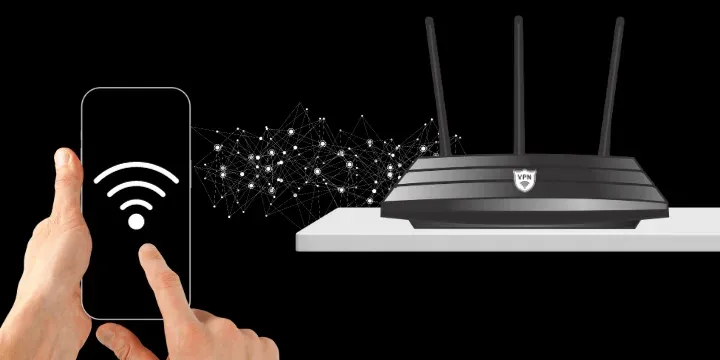
At its core, a Virtual Private Network creates a secure, encrypted connection-commonly referred to as an “encrypted tunnel”-between your personal endpoint device and a remote server owned and operated by the VPN service provider.
To understand the necessity of a VPN, it helps to examine how standard internet connections function. Under normal circumstances, when you type a web address into your browser, your device sends a request directly to your Internet Service Provider (ISP). Your ISP processes the domain request, assigns your device a unique public IP address, and routes your network traffic unencrypted across local and international data exchanges. Because your ISP sits directly in the middle of all your connection requests, it can monitor, record, and log every domain, website, image, and file you access online.
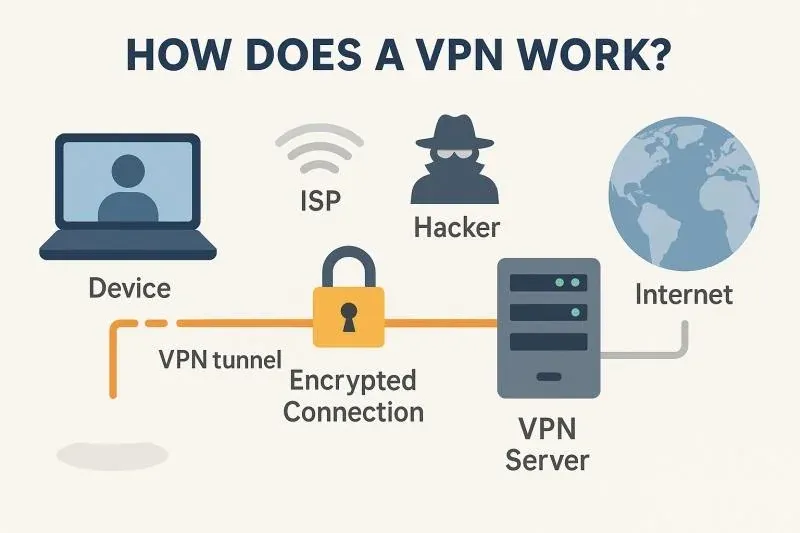
When you launch and enable a VPN application on your device, the connection workflow is fundamentally transformed:
In an era defined by pervasive digital surveillance, ISP throttling, and frequent corporate data breaches, utilizing a VPN has evolved from a niche tool for IT professionals into a fundamental requirement for everyday internet users.
In many jurisdictions (including the United States), ISPs are legally permitted to collect, aggregate, and monetize their subscribers’ browsing histories. ISPs sell these behavioral profiles to third-party data brokers and marketing firms. By encrypting your data packets from the moment they leave your network interface, a VPN prevents your ISP from compiling a profile of your online activities.
Unencrypted public Wi-Fi access points at airports, hotels, shopping malls, and cafes are notorious hunting grounds for cybercriminals. Malicious actors on the same local network can execute Man-in-the-Middle (MitM) attacks, set up fake “Evil Twin” Wi-Fi hotspots, or use packet sniffers to intercept unencrypted passwords, session cookies, credit card credentials, and personal emails. A VPN encapsulates all your device traffic in an encrypted tunnel, rendering packet sniffing attempts useless.
Streaming services like Netflix, BBC iPlayer, Amazon Prime Video, Disney+, and Max enforce geo-blocking restrictions due to international licensing agreements. If you travel outside your home country, you may find yourself locked out of your paid streaming subscriptions. By connecting to a VPN server located in your home nation, you adopt a local IP address, granting you unrestricted access to your favorite media catalogs from anywhere on earth.
Internet Service Providers frequently monitor network traffic types to identify bandwidth-heavy activities such as 4K video streaming, online multiplayer gaming, or P2P file sharing. When an ISP detects these activities, it may deliberately throttle your connection speeds to reduce network congestion. Because a VPN scrambles your traffic, your ISP cannot categorize your data packets, effectively neutralizing selective speed throttling.
Cybercriminals frequently target unencrypted connection requests to hijack financial sessions. Using a VPN provides an additional layer of bank-grade encryption when logging into online banking portals, managing cryptocurrency wallets, or completing credit card transactions on e-commerce platforms.
Not all VPN services offer equal security standards. When auditing potential providers, ensure the service incorporates these critical technical safeguards:
Top-tier VPNs utilize AES-256 (Advanced Encryption Standard with a 256-bit key) or ChaCha20. AES-256 is the same cryptographic standard adopted by intelligence agencies and military institutions globally. It requires $2^256$ mathematical operations to break-a scale of computational complexity that supercomputers cannot crack in billions of years.
A Kill Switch is an indispensable fail-safe mechanism. If your Wi-Fi drops momentarily or a VPN server reboots, your device might default back to an unencrypted connection without your knowledge. A Kill Switch continuously monitors your tunnel and immediately blocks all internet traffic the instant a drop is detected, preventing accidental leaks of your real IP address.
Traditional VPN servers store their operating systems and application data on physical hard drives, which could theoretically be seized or extracted during legal disputes. Leading modern VPNs operate on RAM-Only servers. Because volatile RAM memory requires continuous power to retain data, every routine server reboot or power cycle automatically wipes all operational data instantly, guaranteeing no logs ever persist on physical media.
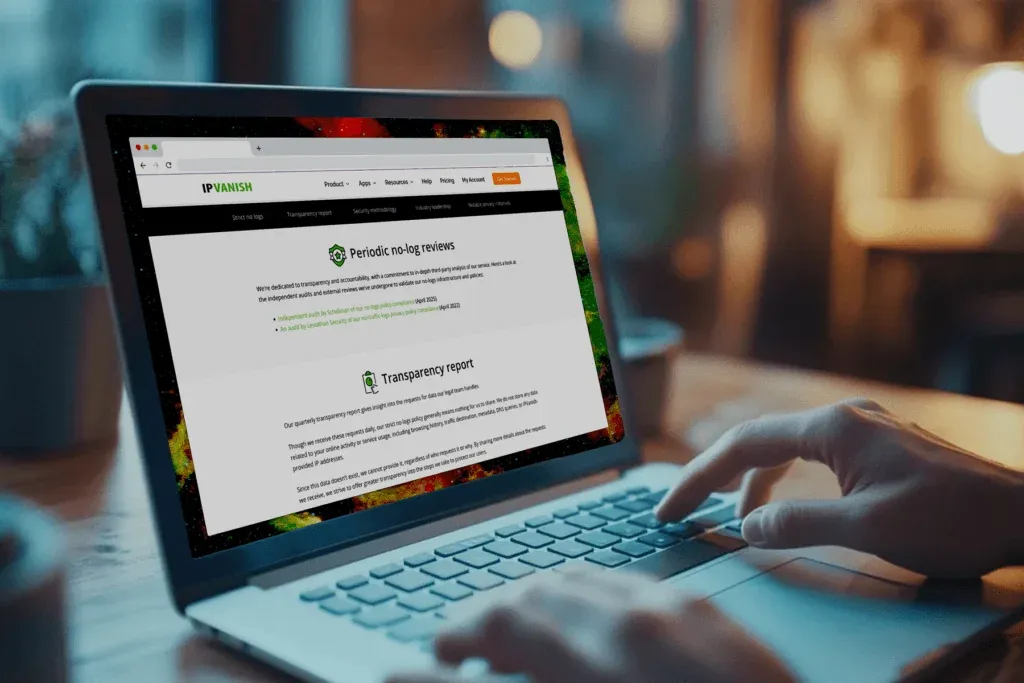
A zero-logs claim is meaningless without verifiable proof. Reputable providers invite independent third-party auditing firms (such as PricewaterhouseCoopers, Deloitte, or Cure53) to conduct deep codebase and server infrastructure audits. These public audit reports confirm that the service does not store IP addresses, DNS queries, browsing histories, or connection timestamps.
A VPN protocol defines the underlying mathematical rules, handshake mechanisms, and cryptographic ciphers used to transmit data between your device and the VPN server. Selecting the appropriate protocol allows you to optimize your connection for maximum speed, security, or network compatibility.
Below is an in-depth breakdown comparing the four primary VPN protocols deployed in 2026:
| Protocol | Avg Speed Loss | Security Rating | Encryption Standards | Primary Use Case |
|---|---|---|---|---|
| WireGuard | 5% – 12% | Exceptional | ChaCha20, Poly1305, Curve25519 | High-speed 4K streaming, online gaming, and mobile apps |
| OpenVPN (UDP/TCP) | 15% – 25% | Industry Standard | AES-256-GCM, RSA-4096, SHA-512 | Maximum cross-platform stability and strict firewall evasion |
| IKEv2 / IPSec | 10% – 18% | Excellent | AES-256, MOBIKE | Mobile devices frequently switching between Wi-Fi and 5G |
| Shadowsocks / Stealth | 20% – 35% | Specialized | AES-256-CTR, Obfuscation Layer | Bypassing national DPI firewalls in restrictive regions |
For over two decades, OpenVPN was considered the gold standard of open-source VPN protocols. However, OpenVPN’s codebase exceeds 70,000 to 100,000 lines of code, making it resource-intensive and prone to slower speeds on high-bandwidth connections.
By contrast, WireGuard is a streamlined next-generation protocol containing roughly 4,000 lines of code. Its ultra-lightweight codebase allows for faster connection establishment (under 100 milliseconds), higher maximum throughput, improved battery efficiency on mobile devices, and seamless switching between Wi-Fi and mobile networks. For a full benchmark comparison, read our detailed WireGuard vs OpenVPN analysis.
To maintain a healthy cybersecurity posture, it is important to clearly delineate what a VPN can defend against versus the privacy threats that require complementary security tools.
Maintaining a global network of high-speed 10Gbps servers, engineering native multi-platform apps, and funding round-the-clock technical support costs millions of dollars annually. When a commercial VPN service is advertised as completely “free,” the company must find alternative methods to generate revenue.
Critical Warning: Security research studies examining hundreds of free VPN applications revealed that over 70% embedded third-party tracking SDKs, injected unskippable ads into web pages, or actively logged and sold user browsing histories to data brokers. Some malicious free apps even bandwidth-farmed user connections into botnets.
Getting started with a VPN in 2026 is remarkably straightforward and requires no prior technical expertise. Follow these simple steps to secure your devices:
Selecting the best VPN service depends on your specific online priorities, device ecosystem, and budget. Before committing to a subscription, evaluate providers based on these core criteria:
Everything you need to know about What is a VPN? Everything You Need to Know in 2026.