How to Change Your Netflix Region with a VPN (2026 Step-by-Step Guide)

OUR EXPERT
Alex Rivera
Alex RiveraLead Security Analyst

The CompareVPNList expert team has tested VPNs and security tools year-round to verify encryption, speed, and real-world privacy protection.

LOOK INSIDE OUR LABSHOW WE TEST
10+EXPERTS
5+YEARS
43K+REVIEWS
Updated Jul 27, 2026

Netflix operates across more than 190 countries worldwide, offering thousands of movies, documentaries, and original series to over 260 million active subscribers. However, despite paying identical monthly subscription fees, users in different parts of the world do not get access to the exact same content catalog. A subscriber in Tokyo can stream hundreds of exclusive anime series, local blockbusters, and Japanese TV shows that remain completely invisible to a user in New York, London, or Sydney.

This regional content disparity exists because of complex international broadcast rights, studio distribution contracts, and local regulatory mandates. Fortunately, a high-speed Virtual Private Network (VPN) offers an elegant technical solution. By disguising your physical geographic location and routing your internet connection through a secure server in another country, a VPN unlocks foreign Netflix catalogs instantly from the comfort of your living room.

This comprehensive guide details the technical mechanics of Netflix geo-blocking, provides step-by-step setup instructions for every major streaming device, outlines key selection criteria for choosing from our top-ranked VPN providers, and offers proven troubleshooting remedies for proxy error codes.

1. Why Netflix Restricts Content by Region

The primary driver behind regional content fragmentation is copyright licensing law. Film studios, television networks, and independent production companies rarely sell global streaming rights in a single monolithic contract. Instead, they sell distribution rights territory by territory to maximize licensing revenue across global markets.

Key factors that shape regional Netflix libraries include:
  • Territorial Copyright Contracts: Film studios maximize licensing profits by selling broadcast rights separately to local networks and streaming services in each country.
  • Local Content Quotas: Government regulations in regions like the European Union mandate that streaming platforms devote a minimum percentage of their catalog to locally produced films and TV shows.
  • Censorship & Regional Rating Systems: Local ratings boards and cultural guidelines dictate whether specific films can be broadcast in certain jurisdictions.
  • Exclusivity Window Agreements: Traditional cable channels and regional theater chains often hold exclusive local distribution windows before titles can be added to digital streaming platforms.
Netflix Geo-Blocking Regional Content Map Diagram
Figure 1: How Netflix restricts content libraries by country based on IP address detection and licensing agreements.

Consequently, subscribers paying identical subscription fees receive vastly different content catalogs depending on their physical location.

2. How a VPN Allows You to Change Netflix Libraries

A Virtual Private Network alters your digital location by intercepting your internet traffic before it reaches public web servers. Under normal browsing conditions, your Internet Service Provider assigns your network a unique IP address that acts as a digital return address, broadcasting your physical city and country to every website and streaming platform you visit. If you are unfamiliar with the fundamentals of encryption, read our complete breakdown on what a VPN is and how encryption tunnels work.

When you launch a VPN and connect to a server in a target country-such as selecting a server node in Tokyo-your real IP address is hidden behind the VPN server’s IP address. All outgoing requests from your device are encrypted, sent through a secure digital tunnel, and decrypted at the VPN server location before reaching Netflix’s web infrastructure.

When Netflix receives your request, its location verification algorithms inspect the incoming IP address. Recognizing a legitimate IP address originating from Japan, Netflix automatically serves the Japanese content library to your screen. Because your account credentials remain unchanged, your existing subscription grants seamless access to global catalogs without requiring new payment profiles or regional account sign-ups.

3. Step-by-Step Guide: How to Change Your Netflix Region on Any Device

Unlocking a different regional library requires just a few minutes of setup. Follow these step-by-step instructions tailored for your specific hardware platform.

On PC, Mac, & Web Browsers (Chrome, Safari, Firefox, Edge)

  1. Choose a Proven Streaming VPN: Subscribe to a high-speed VPN provider verified to unblock Netflix (such as ExpressVPN, NordVPN, or Surfshark).
  2. Install the Desktop App: Download and install the official VPN client for Windows or macOS.
  3. Connect to Your Target Country: Open the VPN client and select a server node in your target country (e.g., United Kingdom, Japan, or United States).
  4. Clear Browser Cache and Cookies: Open your web browser settings and clear temporary cookies and site data for netflix.com to wipe stored location tokens.
  5. Launch Netflix: Navigate to netflix.com and log in to your account to stream your chosen country’s catalog.
Step-by-Step Guide Connecting VPN to Change Netflix Library
Figure 2: Connecting to a regional VPN server before launching Netflix to unlock foreign content catalogs.

On Smartphones & Tablets (iOS & Android)

  1. Install the Mobile App: Download your VPN provider’s app from the Apple App Store or Google Play Store.
  2. Connect to a Regional Server: Sign in and select a server location from the global country list.
  3. Force Close Netflix: Swipe up to close the Netflix mobile app completely so it clears cached location state from system memory.
  4. Reopen Netflix: Launch the Netflix app to display the film and TV catalog of your selected VPN region.

On Amazon Firestick & Android TV / Google TV

  1. Download the TV App: Search for your VPN provider directly within the Amazon Appstore or Google Play Store on your smart TV interface.
  2. Connect to a Server: Launch the VPN app on your TV and select your target streaming country.
  3. Open Netflix: Launch the Netflix app to stream regional content directly on your big screen.

4. Key Criteria for Choosing the Best VPN for Netflix Streaming

Not all VPN services possess the technical capabilities needed to unblock Netflix. The majority of free and low-quality commercial VPNs are detected and blocked almost instantly by Netflix’s sophisticated anti-proxy firewalls.

When evaluating a streaming VPN, prioritize the following core capabilities:

  • Consistent Unblocking Reliability: The provider must actively refresh IP server blocks to bypass Netflix’s proxy detection algorithms and error code m7111-5059.
  • High-Speed Infrastructure: Sustained connection speeds of at least 25 Mbps on modern protocols like WireGuard to ensure buffer-free 4K Ultra HD streaming. For detailed throughput benchmarks, read our technical breakdown on WireGuard vs OpenVPN protocol speeds.
  • Extensive Global Server Network: Thousands of high-speed servers distributed across key Netflix hubs (US, UK, Japan, Canada, South Korea, France, and Germany).
  • Smart DNS Capability: Smart DNS support for devices that do not natively run VPN apps, such as Apple TV, PlayStation, Xbox, and legacy Smart TVs.
  • Responsive 24/7 Support: Live chat customer support to quickly assist when specific server nodes require updating.

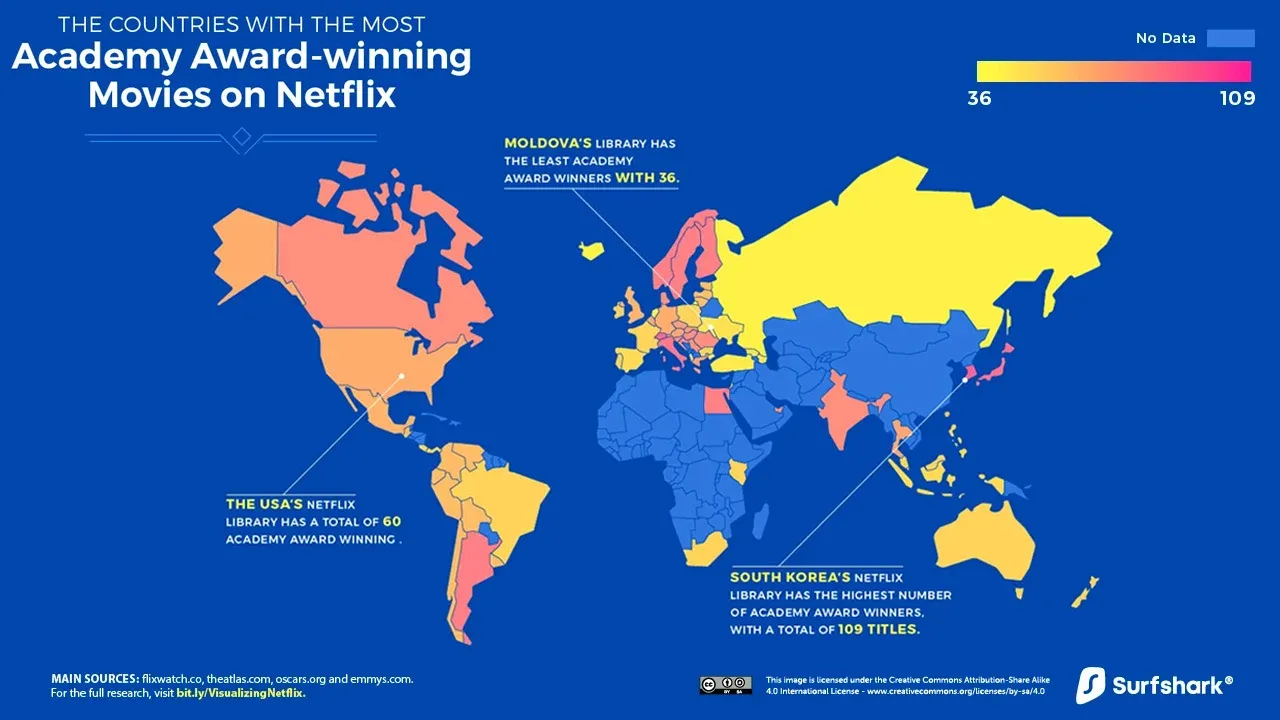
The size and diversity of Netflix catalogs vary dramatically around the globe, making certain regions highly sought after by cinema and television enthusiasts.
Comparison of Netflix Regional Content Libraries
Figure 3: Breakdown of popular Netflix regions and their unique regional content offerings.
Netflix Region Unique Strengths & Catalog Highlights
United States Features the largest overall title selection, boasting extensive Hollywood movie catalogs and major American network television series.
Japan The definitive destination for anime fans, housing thousands of exclusive anime series, Studio Ghibli masterpieces, and Japanese cinema.
United Kingdom Exceptional library of acclaimed British dramas, BBC co-productions, historical miniseries, and European cinema.
South Korea Outstanding collection of K-Dramas, Korean thriller cinema, local reality TV shows, and early-access Asian blockbusters.
Canada & Australia Frequently secures early digital streaming rights for major theatrical releases faster than other Western markets.

6. How to Fix Netflix VPN Errors (“You Seem to Be Using an Unblocker or Proxy”)

If Netflix detects that your connection originates from a commercial VPN server IP address, it will display the proxy error screen: “You seem to be using an unblocker or proxy. Please turn off any of these services and try again” (Error Code: m7111-5059).
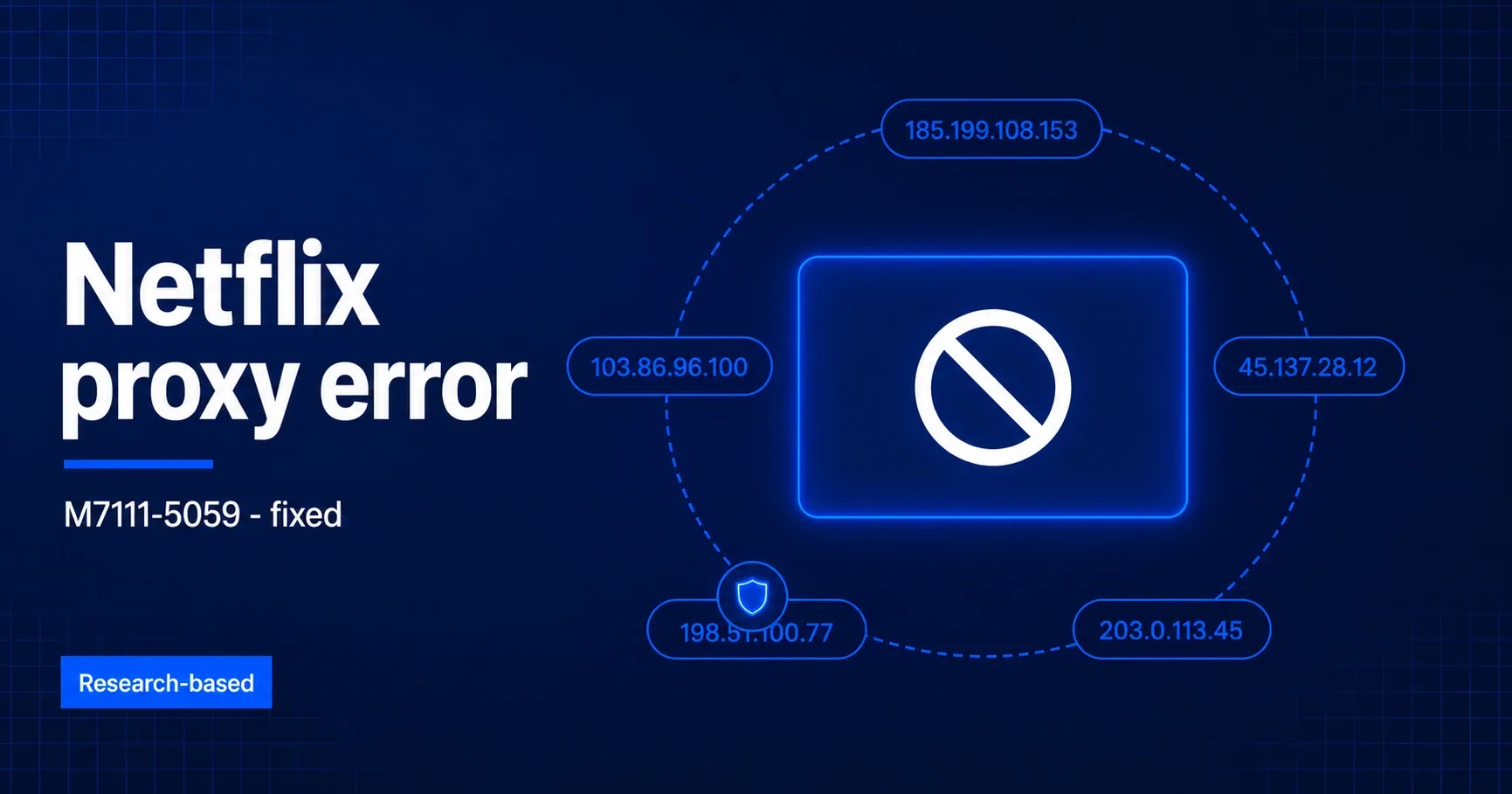
Troubleshooting Netflix Proxy Error m7111-5059
Figure 4: Resolving Netflix proxy error m7111-5059 by clearing browser data and switching VPN server nodes.

If you encounter this error, follow these systematic troubleshooting steps:

  1. Switch to a Different Server in the Same Country: Disconnect and connect to a different city node in the same region to acquire a fresh IP address.
  2. Clear Cookies and App Data: Clear browser cookies or force-restart the Netflix app to erase stored location tokens.
  3. Enable Leak Protection: Ensure your VPN client’s built-in DNS and IPv6 Leak Protection toggles are enabled.
  4. Use Incognito Browsing Mode: Open an incognito browser window after enabling the VPN to prevent cached session leaks.
  5. Contact 24/7 Live Support: Reach out to your VPN’s live chat team to ask for the specific server node currently unblocking Netflix.

7. Can You Use a Free VPN to Change Your Netflix Region?

While free VPN services appear attractive, they are fundamentally incapable of delivering a reliable Netflix streaming experience.

Major pitfalls of free VPNs for streaming include:

  • Blacklisted IP Addresses: Free VPNs host millions of users on a small handful of server IPs, making them effortless for Netflix to identify and block.
  • Severe Data Caps & Throttling: Free plans typically cap monthly data between 2GB and 10GB-enough for only one HD movie-and heavily throttle connection speeds.
  • Limited Country Selection: Access is restricted to 3 or 4 basic server locations, preventing access to popular libraries like Japan, the UK, or South Korea.
  • Privacy & Security Risks: Free VPN applications frequently log user browsing activity and sell demographic data to third-party ad networks to cover server costs.

Understanding the legal and account safety implications of using a VPN with Netflix gives users complete peace of mind. Using a VPN to encrypt your internet connection is entirely legal in the vast majority of countries worldwide, including the US, Canada, UK, Australia, EU, and Japan. You possess a fundamental right to protect your network privacy and secure your internet traffic.

From an account standpoint, using a VPN does not violate criminal law, nor does it result in Netflix banning or terminating your subscription account. Netflix’s Terms of Use state that content viewing should correspond to your geographic origin, but Netflix’s enforcement strategy relies exclusively on soft-blocking detected IP addresses rather than penalizing user accounts.

When using a reputable, audited VPN service with strong encryption standards, changing your Netflix region is completely safe, reliable, and unlocks a world of international entertainment on your existing account.

Frequently Asked Questions

Everything you need to know about How to Change Your Netflix Region with a VPN (2026 Step-by-Step Guide).
Is changing your Netflix region legal?
Yes, using a VPN to stream content is legal in the vast majority of countries. While Netflix's Terms of Service state you should view content in your geographic location, using a VPN does not violate criminal law, and accounts are not banned for using a VPN-Netflix simply blocks detected VPN IP addresses.
Why is Netflix blocking my VPN?
Netflix constantly monitors IP addresses and flags those associated with data centers or commercial VPN servers. If Netflix detects multiple simultaneous requests from a single server IP, it displays the proxy error code m7111-5059. Switching to a different server location in the same country usually resolves this instantly.
Do I need to create a new Netflix account to change regions?
No! Your existing Netflix subscription works globally. Your billing country does not restrict the library you can access when connected to a VPN-Netflix automatically displays the catalog of whatever country your current IP address is located in.
Which country has the largest Netflix library?
Netflix US traditionally boasts the largest overall title count and exclusive Hollywood film catalog, while Netflix Japan offers the most extensive Anime collection, and Netflix UK features top-rated British TV series.
Can I change my Netflix region on a Smart TV or Firestick?
Yes. You can install native VPN apps on Amazon Fire TV Stick, Android TV, and Google TV devices. For Smart TVs that do not natively support VPN apps (such as Samsung Tizen or LG WebOS), you can configure Smart DNS or set up a VPN on your home router.