
Fileless Malware: What It Is and How to Detect It (2026 Security Guide)

OUR EXPERT
Alex Rivera
Alex RiveraLead Security Analyst

The CompareVPNList expert team has tested VPNs and security tools year-round to verify encryption, speed, and real-world privacy protection.

LOOK INSIDE OUR LABSHOW WE TEST
10+EXPERTS
5+YEARS
43K+REVIEWS
Updated Jul 27, 2026

In the constantly evolving landscape of cybersecurity, traditional file-based malware-such as trojans, worms, and ransomware executables saved directly to your hard drive-is no longer the primary weapon of sophisticated cybercriminals. Today, advanced threat actors increasingly rely on fileless malware, an insidious class of cyber attacks designed to operate completely unnoticed by conventional security defenses.

Unlike traditional computer viruses that drop malicious .exe or .dll files onto your storage drive, fileless malware executes malicious payloads directly inside your computer’s volatile memory (RAM). By leveraging legitimate operating system utilities and administrative tools-a technique known as Living off the Land (LotL)-fileless attacks leave virtually no disk footprint for traditional antivirus software to scan.

This technical guide provides a deep dive into how fileless malware operates, breaks down common attack vectors, explains why standard antivirus tools fail, outlines the advanced behavioral detection strategies security teams use to neutralize memory-resident threats, and evaluates how complementary solutions from our top-rated cybersecurity and privacy tools enhance endpoint security.

1. What Is Fileless Malware? Understanding Non-Disk Threats

Fileless malware refers to a broad category of malicious software that resides strictly in random-access memory (RAM) or executes via legitimate system administration tools without writing executable files to the host machine’s hard drive. To understand how encrypted network channels prevent initial payload delivery, read our guide on how a VPN encrypts network traffic.

Key characteristics that define fileless malware include:
  • Zero Disk Footprint: Does not save traditional binary executable files onto the local hard drive, neutralizing signature-based file scanning.
  • Living off the Land (LotL): Hijacks trusted, pre-installed administrative utilities-such as Windows PowerShell, Command Prompt, or WMI-to execute malicious commands.
  • Memory-Resident Execution: Runs malicious payloads directly within active system process memory (RAM) allocated to legitimate applications.
  • Evasion of Legacy Security Tools: Bypasses traditional Antivirus (AV) and Intrusion Detection Systems (IDS) that rely on static file hashing and signature matching.
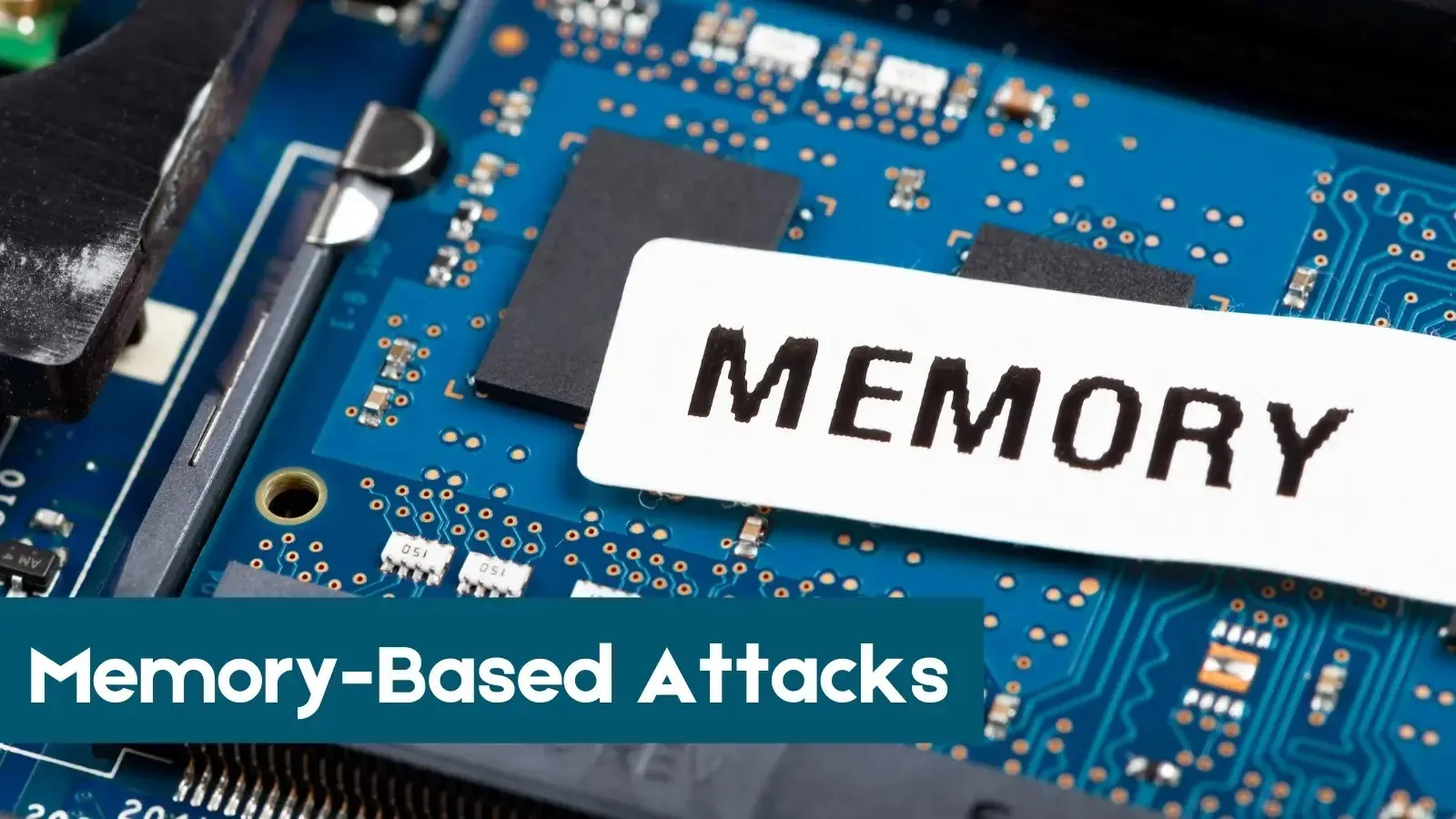
Computer RAM Hardware Modules Volatile Memory Execution
Figure 1: Computer RAM hardware modules where fileless malware executes volatile code directly in memory without touching storage drives.

2. How Fileless Malware Differs from Traditional Malware

To understand why fileless malware poses such a severe security threat, it is helpful to contrast its operational model with traditional file-based malware. Traditional malware relies on dropping an executable payload onto the victim’s storage drive. Once saved, the malicious file attempts to execute, altering system files or encrypting user data. Because the payload exists as a physical file on the disk, antivirus software can easily intercept it by scanning the file’s hash against databases of known virus signatures or inspecting its code structure.

Fileless malware completely bypasses this file inspection layer by operating entirely within volatile computer memory or legitimate system processes. Instead of dropping a new file, the attacker injects malicious code directly into the running memory space of trusted operating system processes like explorer.exe or svchost.exe. Because no malicious binary ever touches the hard drive, static file scanners see nothing unusual, allowing the attack to proceed undetected while performing unauthorized data theft or remote system takeover.

3. The Lifecycle of a Fileless Malware Attack

Although fileless attacks leave no executable files behind, they follow a predictable, multi-stage attack lifecycle from initial intrusion to payload execution.

A typical fileless malware attack progresses through the following sequential stages:
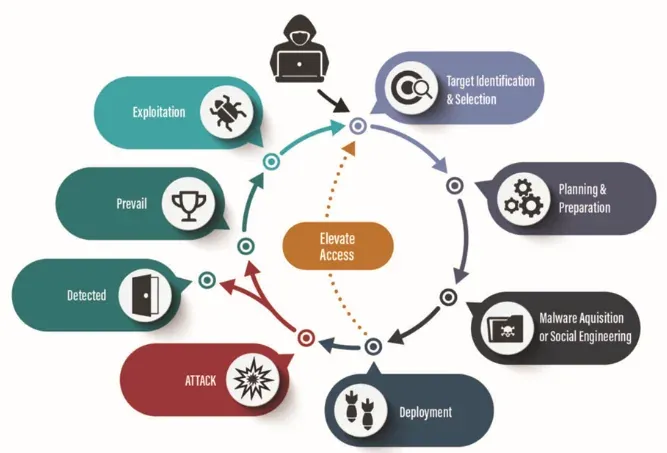
  1. Initial Access: The victim is compromised via a malicious phishing email link, a malicious office document containing weaponized macros, or an unpatched browser vulnerability.
  2. Exploitation & Script Execution: Instead of downloading a binary file, the exploit launches an inherent system tool (such as PowerShell or MSHTA) directly from memory.
  3. Payload Injection into Memory: The script downloads an encrypted payload directly into the system’s volatile RAM memory space, injecting code into a legitimate running process.
  4. Establishing Persistence: To survive system reboots, the malware modifies registry run keys or creates scheduled tasks that point to encrypted memory-loading scripts.
  5. Actions on Objectives: The memory-resident malware executes its final objective, such as stealing credentials, harvesting sensitive data, or deploying fileless ransomware.
Fileless Malware Attack Lifecycle Stage Diagram
Figure 2: Multi-stage attack lifecycle diagram showing phishing intrusion, memory injection, and Living off the Land execution.

4. Key Types and Categories of Fileless Attacks

Fileless malware attacks utilize a variety of memory manipulation techniques depending on the target environment and operating system.

Major categories of fileless threats include:

  • Memory-Only Payloads: Malware that resides exclusively in active RAM. If the infected computer is powered off or rebooted, the payload is completely erased from memory.
  • Registry-Based Persistence: Attacks that store malicious payload scripts directly inside the Windows Registry (such as hidden registry keys), executing them via native system tools during boot up.
  • Macro-Based Fileless Injections: Malicious Microsoft Office macros that execute malicious PowerShell commands in memory without saving executable files to disk.
  • WMI-Based Attacks: Exploitation of Windows Management Instrumentation (WMI) to store malicious scripts inside the WMI repository and trigger automated event execution.

5. Living off the Land (LotL) & Abuse of Native Administrative Tools

The core foundation of most fileless attacks is a methodology called Living off the Land (LotL). Attackers recognize that security administrators cannot simply block or delete core Windows management utilities, making those native tools ideal camouflage for malicious activity.

System utilities frequently hijacked in fileless attacks-referred to as LOLBins (Living off the Land Binaries)-include:

  • PowerShell: Microsoft’s powerful task automation framework, frequently abused to download and execute encrypted in-memory scripts.
  • Windows Management Instrumentation (WMI): Used by systems administrators to manage local and remote computers, but weaponized by attackers for stealthy persistence and execution.
  • Certutil: A legitimate command-line utility used for managing certificates, often abused by attackers to download remote payloads disguised as certificate files.
  • Mshta.exe: The Microsoft HTML Application host, frequently leveraged to execute malicious VBScript or JavaScript code embedded in web links or documents.
  • PsExec: A legitimate administrative tool used to execute processes on remote systems, often hijacked for lateral movement across corporate networks.

6. How Fileless Malware Establishes System Persistence

Because volatile memory (RAM) is completely wiped whenever a computer restarts or loses power, a pure memory-resident attack would normally be terminated as soon as the victim reboots their system. To overcome this fundamental limitation, cybercriminals employ ingenious, non-executable persistence mechanisms that allow the attack to survive reboots without saving binary files to disk.

Attackers achieve persistence by injecting malicious configuration commands directly into legitimate Windows system databases. The most common method involves creating concealed entries within the Windows Registry, such as adding a command to the Run or RunOnce registry keys. Instead of pointing to a .exe file, the registry entry contains an obfuscated command that launches PowerShell, which in turn fetches and re-injects the malicious payload back into RAM during system startup. Attackers also utilize WMI event subscriptions and Scheduled Tasks, ensuring that malicious memory scripts automatically re-trigger whenever specific system events occur.

7. Why Traditional Antivirus Software Fails to Stop Fileless Attacks

Legacy Antivirus (AV) solutions were designed around a paradigm that no longer protects modern networks effectively.

Traditional antivirus software fails against fileless malware due to the following structural limitations:

  • Dependence on Static Signatures: Traditional AV compares files on your hard drive against a database of known malware hashes. Fileless attacks create no disk files to hash.
  • Trusting Native System Tools: Standard AV software trusts signed operating system binaries like powershell.exe and wmic.exe, allowing malicious commands executed by these trusted tools to run unhindered.
  • Inability to Inspect Volatile RAM: Legacy antivirus tools lack the capability to perform deep, real-time inspection of active RAM process memory without causing severe system slowdowns.

8. Advanced Detection Techniques: How Security Teams Uncover Memory Threats

Detecting fileless malware requires shifting security focus away from static file inspection and toward real-time behavioral analysis and memory monitoring.

Modern enterprise detection strategies include:
  • Endpoint Detection and Response (EDR): Advanced EDR platforms monitor process behaviors in real time, detecting anomalies such as PowerShell attempting to establish unauthorized outbound network connections.
  • PowerShell Script Block Logging: Enabling detailed logging (Event ID 4104) captures the full, un-obfuscated content of PowerShell scripts as they execute in memory.
  • System Monitor (Sysmon): A free Microsoft Sysinternals tool that monitors process creation, network connections, and remote thread injections, flagging suspicious process memory tampering.
  • RAM Memory Inspection: Utilizing specialized forensic memory analysis tools (such as Volatility) to dump and inspect active process memory for hidden malicious code injections.
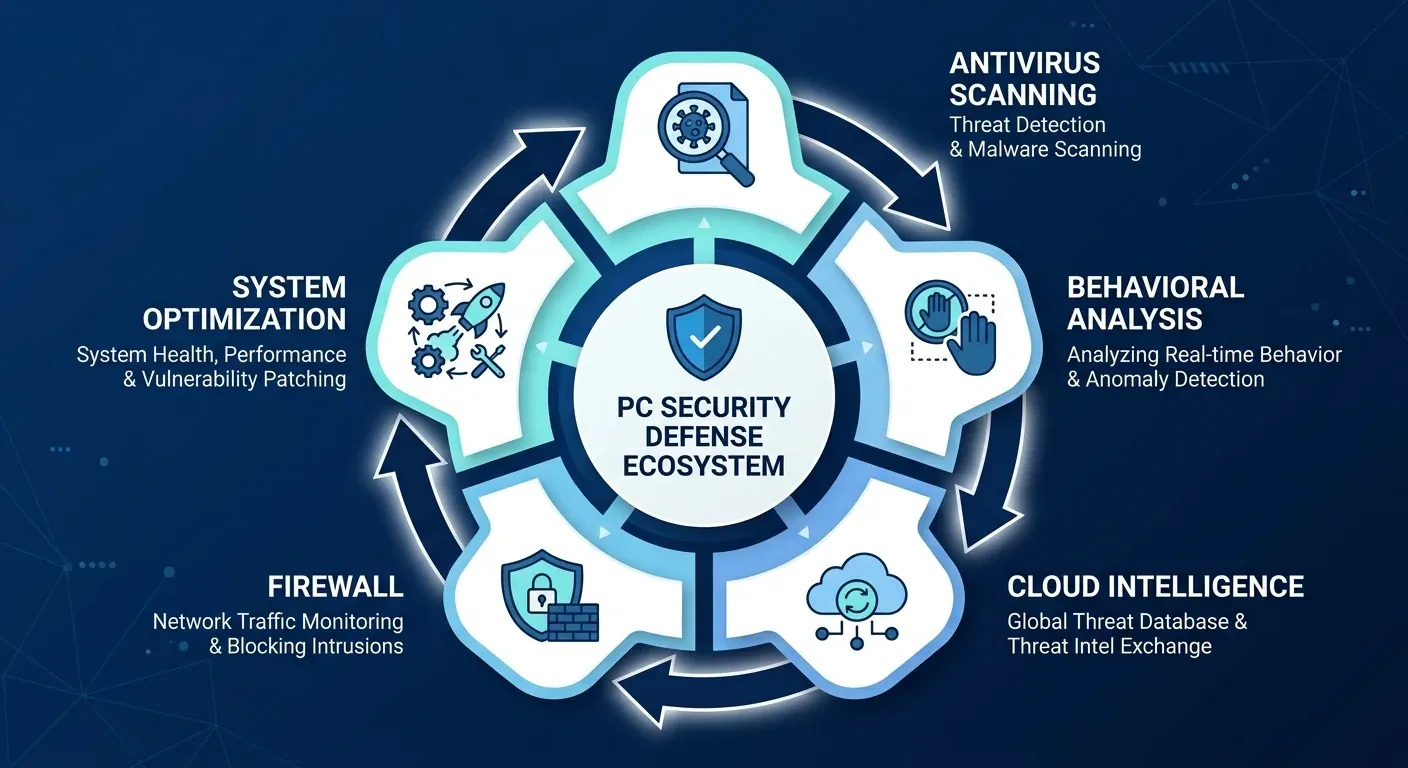
Computer Security Memory Scan and Behavioral Threat Detection Screen
Figure 3: Computer system security scanner performing real-time memory monitoring and behavioral threat detection.

9. Best Practices to Defend Your Network Against Fileless Attacks

Defending against fileless threats requires a multi-layered defense-in-depth strategy that hardens system configurations and restricts administrative tool abuse.

Recommended security hardening measures include:

  1. Restrict PowerShell Execution Policies: Enforce constrained language mode and require code signing for all PowerShell scripts running in your environment.
  2. Implement Least Privilege Access (LPA): Restrict daily user accounts from holding local administrator privileges to prevent attackers from executing high-level system commands.
  3. Enable Microsoft Credential Guard: Protect LSASS process memory from credential harvesting tools (like Mimikatz) using virtualization-based security.
  4. Encrypt Offline Files & Storage: Secure local sensitive archives against unauthorized physical access. Learn more in our tutorial on how to password-protect sensitive files and folders.
  5. Disable Unnecessary System Tools: Use Application Control (such as Windows Defender Application Control or AppLocker) to block unnecessary LOLBins like mshta.exe or certutil.exe.

10. Summary and Future Outlook of Memory-Based Cybersecurity Threats

As cybercriminals refine their evasion techniques, memory-resident and fileless attacks will remain a dominant threat vector for enterprise networks and personal devices alike.

Feature Comparison Traditional File-Based Malware Fileless Malware
Primary Location Stored on Hard Drive / Solid State Drive Resides in Volatile RAM Memory
Execution Method Malicious .exe or .dll execution Abuses trusted system tools (PowerShell/WMI)
Antivirus Detection Easily detected by signature/hash scans Bypasses traditional signature-based AV
Persistence Mechanism Saved binary file on storage drive Registry keys, WMI tasks, Scheduled Scripts
Effective Security Tool Legacy Antivirus (AV) Endpoint Detection & Response (EDR)

Understanding that cyber threats have evolved beyond simple malicious files is the first step toward building a resilient security defense. By combining behavioral EDR monitoring, system hardening, and strict administrative access controls, organizations can effectively detect and neutralize fileless attacks before they compromise sensitive data.

Frequently Asked Questions

Everything you need to know about Fileless Malware: What It Is and How to Detect It (2026 Security Guide).

What is fileless malware in simple terms?
Fileless malware is a stealthy cyber attack that operates entirely in your computer's volatile memory (RAM) or abuses legitimate Windows tools (like PowerShell) rather than saving malicious executable files onto your hard drive.
Can traditional antivirus detect fileless malware?
No. Traditional antivirus relies on scanning files stored on your disk for known signatures or hashes. Because fileless malware leaves no executable files on the hard drive, standard signature-based antivirus software cannot detect it.
How does fileless malware survive a computer reboot?
Fileless malware establishes persistence by modifying legitimate system settings-such as Windows Registry keys, Scheduled Tasks, or WMI (Windows Management Instrumentation) event subscriptions-to re-inject its malicious memory payload whenever the system restarts.
What security tools can detect fileless malware?
Modern Endpoint Detection and Response (EDR) solutions, behavioral monitoring tools, RAM memory scanners, and system monitoring utilities like Sysmon and PowerShell Script Block Logging can effectively detect fileless attack behavior.